Ever wondered how to make your favorite games even better or solve those little annoyances that break immersion? Many gamers, especially those balancing jobs, family, and life, find themselves wanting more from their limited gaming time. This comprehensive guide on what is mod in games will explore how player-created modifications can revitalize old titles, optimize performance on a budget, and introduce exciting new content. We will cover everything from finding safe mods and installation tips to troubleshooting common issues and discovering vibrant modding communities. Whether you are looking for graphical enhancements, new quests, or just a quality-of-life tweak, understanding game mods can unlock a whole new level of personalized gaming experience. Learn how to extend the life of your beloved games, get more value from your purchases, and customize your adventures without hassle. Dive in to transform your gameplay today.
Related gamesQ: What exactly are game mods and why should I care?
A: Game mods are player-made alterations that change or enhance a game, from graphics to gameplay. As a busy gamer, you should care because mods offer a fantastic way to extend the life of your favorite titles, introduce new content, fix bugs, or optimize performance without buying new games. They let you personalize your experience, making your limited gaming time more enjoyable and tailored to your preferences, ensuring you get the most out of your digital library.
Q: How do mods enhance my gaming experience beyond the base game?
A: Mods significantly enhance your gaming experience by introducing fresh content, like new quests or characters, and offering unparalleled customization. Imagine giving an older game a stunning graphical overhaul, adding quality-of-life features to streamline tedious tasks, or even completely changing core gameplay mechanics. This means your favorite games can continually offer novelty and address specific annoyances, keeping them engaging for hundreds of hours, perfect for maximizing your fun when time is precious.
Q: Is it truly safe to download and install game mods from the internet?
A: Yes, it is generally safe to download and install game mods, provided you stick to reputable sources. Platforms like Nexus Mods and Steam Workshop are highly trusted communities with established vetting processes. Always read user reviews, check download counts, and ensure the mod description is clear. Crucially, back up your game files before installing anything new. Avoiding suspicious, unverified websites will protect your system from malware and ensure a smoother, safer modding journey.
Q: Where are the best and most reliable places to find quality game mods?
A: For the most reliable and extensive collection of quality game mods, your go-to places should be Nexus Mods and Steam Workshop. Nexus Mods supports hundreds of games with a vast user base and excellent mod managers. Steam Workshop offers incredibly easy, one-click installation for many titles directly through Steam. Official game forums and ModDB are also great resources. Always prioritize sites known for active communities and positive user feedback to ensure you are getting safe, well-supported content.
Q: Can mods genuinely help improve my game's performance or graphics on older hardware?
A: Absolutely! Mods can be a lifesaver for improving game performance and graphics on older hardware or budget setups. Many mods are specifically designed for optimization, reducing visual clutter, fixing unoptimized game areas, or providing lighter texture packs that still look great without taxing your system. Conversely, some graphical mods can be very demanding, so always check the mod's impact on performance. The right mods can make your older PC feel like new, extending your gaming hardware's life.
Q: What should I do immediately if a newly installed mod breaks my game or causes crashes?
A: If a mod breaks your game or causes crashes, do not panic. First, immediately disable or uninstall the last mod you installed. If you were using a mod manager, this is usually simple. Next, verify the integrity of your game files through your game launcher (like Steam) to repair any corrupted vanilla files. If you made backups before modding, revert to your clean save files. Consulting the mod's specific troubleshooting guide or its community forum can also provide quick, targeted solutions from experienced users.
Q: Are mods only for PC games, or can console gamers join the modding fun too?
A: While modding has traditionally been a PC stronghold due to open system architecture, console gamers can now join the fun, albeit with more limitations. Certain games, notably Bethesda titles like Skyrim Special Edition and Fallout 4, offer in-game mod browsers for PlayStation and Xbox. These mods are typically curated by developers, ensuring stability and safety, though they offer less creative freedom than PC mods. For the most extensive and diverse modding experience, PC remains the primary platform, but console players are increasingly getting a taste of player-created content.
Are you a dedicated gamer who sometimes feels like you have seen it all in your favorite titles? Do you juggle work, family, and life, leaving precious little time for gaming, yet still crave fresh experiences without buying a new game every month? You are not alone. In the bustling US gaming scene, where 87% of gamers play regularly, often dedicating 10+ hours a week, finding ways to maximize fun and value is key. Whether you are unwinding after a long day, connecting with friends, or sharpening your skills, the desire for optimized, personalized gameplay is universal. This month, social and cozy games are trending, but what if you could infuse that same freshness into your existing library? That is where game mods come come in, offering a vast universe of player-created content that can transform your gaming experience, address common pain points like performance hiccups, or simply add new layers of enjoyment. Think of it as giving your beloved games a super-powered upgrade, tailor-made to your preferences. But what exactly are mods, and how do you navigate this exciting world safely and effectively? This guide will demystify game mods, helping you unlock their full potential.
Understanding what is mod in games can be a game-changer for many players, especially those of us who value our time and want to make the most out of every gaming session. From enhancing graphics to adding new quests, mods provide a powerful way to keep your favorite titles engaging long after you have completed the main story. We are talking about solutions to real-world gaming problems, like boosting frame rates on an older PC or adding quality-of-life features that make repetitive tasks a breeze. So, let us dive in and explore how you can harness the power of game modification to personalize your adventures, fix issues, and truly own your gaming experience.
What Exactly Is a Mod in Gaming?
A game mod, short for 'modification,' is any alteration to a video game made by players rather than the original developers. These modifications can range from minor tweaks, like changing a character's appearance, to massive overhauls that introduce new stories, mechanics, and worlds. Essentially, mods allow you to customize your gaming experience far beyond what the developers initially intended. They are a testament to the creativity and passion within the gaming community, breathing new life into titles that might otherwise fade away.
The beauty of mods lies in their diversity. Some mods focus on visual enhancements, making older games look stunning on modern hardware. Others add new gameplay features, characters, or quests, extending the game's replayability. There are also utility mods that fix bugs left by developers or introduce quality-of-life improvements that streamline gameplay. For many gamers, mods are an essential part of the experience, allowing them to tailor every aspect of their virtual worlds.
Why Do Gamers Use Mods?
Gamers use mods for a multitude of reasons, all centered around enhancing and personalizing their experience. One primary motivation is to extend a game's lifespan. Once you have completed the main story and side quests, mods can introduce hundreds of hours of new content, making a beloved game feel fresh again. This is particularly appealing to busy adults who want to get maximum value from their game purchases.
Beyond new content, mods offer unparalleled customization. Want to play a fantasy RPG as a robot or turn a historical simulation into a sci-fi epic? Mods make it possible. Performance optimization is another huge draw; many gamers use mods to improve frame rates, enhance graphics without expensive hardware upgrades, or fix lingering bugs that impact stability. For those with limited budgets, a well-chosen mod can make an older game run and look like a brand-new title.
Are Mods Legal and Safe to Use?
The legality and safety of mods are common concerns. Generally, using mods is legal, especially if the game developers have openly supported or even created tools for modding. Games like Skyrim, Fallout, and Minecraft are famous for their vibrant, developer-sanctioned modding communities. However, issues can arise if mods are used for cheating in online multiplayer games, as this often violates terms of service and can lead to bans. Always check the game's specific rules regarding online play and modifications.
Regarding safety, it is crucial to download mods from reputable sources. Just like any software from the internet, malicious mods can contain viruses or malware. Stick to well-known modding websites and community hubs that have established reputations for vetting content. Reading comments and reviews from other users can also help identify safe and high-quality mods. Always back up your game files before installing new mods to easily revert if something goes wrong.
Where Can I Find Reliable Game Mods?
Finding reliable game mods is key to a smooth and enjoyable modding experience. The vast majority of safe and high-quality mods are found on dedicated modding platforms. Here are some of the most popular and trusted sources:
Nexus Mods: Arguably the largest and most comprehensive modding website, hosting mods for hundreds of games, from classic RPGs to modern blockbusters. It features a robust community, detailed mod pages, and often includes user-friendly mod managers.
Steam Workshop: Integrated directly into Steam, this platform offers a streamlined way to subscribe to mods for many games. It is incredibly user-friendly, as mods often download and install automatically with a single click. Games like Garry's Mod, Stellaris, and Cities: Skylines thrive on the Workshop.
Official Game Forums and Community Hubs: Many game developers host their own modding sections on official forums or wikis. These are often excellent places to find curated content and direct support from mod creators.
ModDB: Another long-standing platform, ModDB focuses heavily on larger 'total conversion' mods and indie games. It is a great resource for discovering more ambitious projects.
CurseForge: Popular for games like Minecraft and World of Warcraft, CurseForge offers a dedicated client for easy mod management and updates.
Always verify a mod's popularity, download count, user ratings, and recent update history to gauge its reliability.
How Do I Install Mods Safely and Effectively?
Installing mods can seem daunting at first, but with a few precautions, it is quite manageable. The exact process varies by game and mod, but here are general steps for safe and effective installation:
Back Up Your Game: Before installing any mods, always make a backup of your game's save files and potentially the entire game directory. This is your safety net if something goes wrong.
Read the Mod Description Carefully: Every good mod page will have detailed installation instructions, compatibility notes, and any prerequisite mods required. Do not skip this step!
Use a Mod Manager (If Available): For complex games like Skyrim or Fallout, a mod manager (e.g., Nexus Mod Manager, Vortex, Mod Organizer 2) is invaluable. These tools automate installation, help manage load order, and simplify conflict resolution, saving you countless headaches.
Manual Installation: For simpler mods or games without manager support, you might need to manually drag and drop files into specific game folders. Always follow the mod author's instructions precisely.
Install One Mod at a Time: Especially when starting out, install mods one by one and test the game after each installation. This makes it much easier to identify which mod is causing a problem if your game crashes.
Manage Load Order: When multiple mods alter similar game aspects, their 'load order' (which mod loads last and takes precedence) is critical. Mod managers often help with this, or communities provide guides for complex load orders.
Remember, patience and careful reading are your best allies in modding.
What Are the Different Types of Mods?
The world of game mods is incredibly diverse, offering something for every type of player. Here are some common categories:
Graphical Enhancements: These mods focus on making games look better. This can include high-resolution textures, improved lighting, realistic weather effects, or entirely new visual overhauls (e.g., ENBSeries for many PC games).
Gameplay Overhauls: These mods change core game mechanics, difficulty, or systems. They might introduce new combat systems, alter progression, or completely rebalance game economies, offering a fresh challenge for veterans.
Content Mods: Adding new items, weapons, armor, characters, quests, or even entire new areas to explore. These are fantastic for extending playtime and offering novel experiences.
Quality-of-Life (QoL) Mods: Designed to improve convenience without drastically changing gameplay. Examples include better user interfaces, inventory management tools, fast travel options, or bug fixes not addressed by developers. These are great for busy gamers wanting a smoother experience.
Total Conversions: The most ambitious type of mod, these completely transform a game into something entirely different, often changing the genre, setting, and all core assets. Examples include the popular 'Nehrim: At Fate's Edge' mod for Oblivion.
Character Customization Mods: Allowing players to tweak their character's appearance with new hairstyles, clothing, body meshes, or animations, perfect for role-playing enthusiasts.
Each type offers a unique way to tailor your game to your personal preferences.
Can Mods Affect Game Performance?
Yes, mods can definitely affect game performance, sometimes for the better, often for the worse if not chosen wisely. On one hand, some mods are specifically designed to optimize performance, reducing graphical fidelity in specific areas or fixing unoptimized parts of the base game. These can be lifesavers for gamers playing on older hardware or budget-friendly setups, helping them squeeze more frames per second.
On the other hand, many graphical enhancement mods, especially those with high-resolution textures or complex shaders, can be very demanding on your system. Running too many resource-intensive mods can lead to lower frame rates, stuttering, or even crashes, particularly if your PC is already struggling with the base game. It is a balancing act: always check the performance impact described by the mod author and be mindful of your system's capabilities. A powerful gaming PC, which about 60% of regular gamers own, can handle more, but everyone benefits from smart mod choices.
How Do I Troubleshoot Common Modding Issues?
Even with careful installation, modding can sometimes lead to issues like crashes, graphical glitches, or broken quests. Do not worry; troubleshooting is a normal part of the modding experience. Here are common steps:
Check Load Order: This is often the culprit for conflicts. Ensure your mods are loading in the correct sequence. Mod managers usually have built-in tools or community-provided load order guides to help.
Read Mod Compatibility: Some mods are simply not designed to work together. Check mod descriptions for known incompatibilities. If two mods change the same game file, they will likely conflict.
Install One by One: As mentioned, installing and testing mods individually is the best way to pinpoint a problematic mod.
Verify Game Files: If your game is crashing, try verifying the integrity of game files through Steam or your launcher. This can fix corrupted vanilla files.
Clear Cache: Some games build temporary files that can cause issues with new mods. Clearing these caches can resolve problems.
Consult Community Forums: The modding community is incredibly helpful. If you encounter an issue, chances are someone else has too. Search the mod's comment section or dedicated forums for solutions.
Revert to Backup: If all else fails, your backup saves or clean game installation will be your savior, allowing you to start fresh.
Are Mods Available for Console Games?
For a long time, modding was primarily a PC phenomenon. However, the landscape has changed slightly. Some console games, notably Bethesda titles like Skyrim Special Edition and Fallout 4, offer limited mod support on PlayStation and Xbox. These mods are typically accessed through an in-game mod browser and are usually curated and vetted by the developers, making them safer but also more restricted than PC mods. Consoles like the Xbox Series X and PlayStation 5, which are increasingly seeing cross-play with PC, still have strict limitations on external content due to security and console ecosystem control.
Mobile gaming, which dominates the US market, also sees some forms of 'modding,' though often through unofficial APKs for Android. These are generally riskier and not officially supported, making them less reliable and potentially unsafe. For the most expansive and flexible modding experience, PC remains the undisputed king, but console gamers can now enjoy a taste of modification thanks to certain developers embracing the community.
What Games Have the Best Modding Communities?
Some games are practically synonymous with modding due to their active and creative communities. These titles offer endless replayability thanks to the sheer volume and quality of available mods:
The Elder Scrolls V: Skyrim: A legendary modding hub, offering everything from graphical overhauls to new lands, quests, and gameplay mechanics. Millions of mods exist for Skyrim across its various editions.
Fallout Series (especially Fallout 4 and New Vegas): Similar to Skyrim, Fallout games boast robust modding scenes for post-apocalyptic exploration, weapon customization, and quest expansions.
Minecraft: With its block-based, open-ended nature, Minecraft is a modder's paradise. 'Mods' often come as 'packs' or 'plugins,' adding new creatures, biomes, magic systems, or industrial automation.
Stardew Valley: This charming farming sim has a massive community creating quality-of-life improvements, new crops, characters, and visual tweaks, making it even more cozy and customizable.
Grand Theft Auto V: Known for its extensive visual mods, vehicle additions, and even role-playing servers, though modding online aspects can be risky.
Cyberpunk 2077: Despite its rocky launch, Cyberpunk 2077 has quickly developed a thriving modding community, adding much-requested features, visual enhancements, and bug fixes that truly elevate Night City.
The Witcher 3: Wild Hunt: While already a masterpiece, mods for The Witcher 3 enhance graphics, add new combat animations, or introduce quality-of-life improvements to Geralt's adventures.
These games are excellent starting points for anyone looking to dive deep into modding.
What Are the Latest Trends in Game Modding for 2026?
Modding continues to evolve, reflecting broader trends in gaming and technology. Here are some of the exciting directions modding is heading in 2026:
AI-Powered Mod Creation: Advances in AI are making it easier for aspiring modders to generate assets, textures, and even basic scripts, lowering the barrier to entry for content creation. This could lead to an explosion of even more unique modifications.
Cross-Platform Mod Support: While still limited, the demand for mods on consoles and across different PC launchers is growing. Developers might implement more robust, official cross-platform modding solutions in the future.
VR and AR Modding: As VR/AR gaming becomes more accessible, modders are exploring ways to enhance existing games or create entirely new experiences within virtual environments, pushing the boundaries of immersion.
Social and Multiplayer Mods: Beyond official multiplayer, communities are creating complex multiplayer experiences for traditionally single-player games, fostering unique social interactions among players.
Performance-Focused Mods for Newer Hardware: With constantly evolving hardware, modders are creating optimizations and visual enhancements specifically tailored for the latest GPUs and CPUs, ensuring games look and run their best on cutting-edge systems.
Accessibility Mods: An increasing focus on making games enjoyable for everyone is driving the creation of mods that improve accessibility, such as colorblind modes, controller remapping, or improved UI scaling.
These trends promise an even more innovative and inclusive future for game modding.
Conclusion
Understanding what is mod in games opens up a world of possibilities, transforming your gaming experience from passive consumption to active creation and customization. For busy gamers juggling life's demands, mods offer a fantastic way to revitalize beloved titles, solve performance issues on a budget, and tailor every aspect of your virtual adventures. From graphical overhauls to entirely new quests, the modding community provides an incredible resource for extending game longevity and maximizing your fun. Remember to always use reputable sources, read instructions carefully, and back up your files. Dive in, experiment, and discover how mods can make your favorite games feel brand new. What is your biggest gaming challenge that you hope a mod could solve? Comment below!
FAQ Section
What is the easiest way to start modding a game?
The easiest way to start modding is to pick a popular game with active mod support like Skyrim or Stardew Valley, and then use a dedicated mod manager like Vortex or the Steam Workshop. These tools simplify installation and management, making it much more approachable for beginners.
Can mods improve my game's graphics without a new GPU?
Yes, many mods can significantly improve a game's graphics without requiring a hardware upgrade. These might include texture packs that replace low-resolution assets with higher-quality ones, lighting overhauls, or even performance optimization mods that make the game run better, allowing you to push visual settings slightly higher.
What should I do if a mod causes my game to crash?
If a mod causes a crash, first try disabling the last mod you installed. If that does not work, check the mod's description for known conflicts or troubleshooting steps. Verifying your game files and, if necessary, reverting to a previous backup or reinstalling the problematic mod can also help resolve the issue.
Are mods safe to use with online multiplayer games?
Generally, no. Most online multiplayer games strictly prohibit mods that offer any competitive advantage, as they are considered cheating. Using unauthorized mods in multiplayer can lead to permanent account bans. Always check the game's terms of service and only use mods explicitly approved by the game developers for online play.
How do I know if a mod is compatible with my game version?
Mod authors typically specify which game versions their mod supports in the description. Always check this information before downloading. If your game updates, a mod might break, requiring you to wait for the mod author to release an updated version or roll back your game to a compatible version (if possible).
Can I remove a mod if I do not like it?
Yes, most mods can be removed. If you used a mod manager, it will typically have an uninstall feature. For manual installations, you may need to delete the files you added. Always remember to back up your save files before making significant changes, so you can always restore your game to a working state.
Do mods cost money?
The vast majority of game mods are created by passionate fans and are completely free to download and use. While some mod creators accept donations, and some games like Fallout 4 have had controversial 'paid mod' systems, the core spirit of modding remains free and community-driven.
Game mods are player-created content that alters or adds to a game. They can enhance graphics, introduce new mechanics, fix bugs, or add entirely new stories. Mods offer immense customization, extending game lifespan and catering to individual player preferences, making games feel fresh and tailored. They empower players to shape their gaming experience beyond the original design.
35

Best PC Games To Mod 2026 Mod PC Games Safely XmodHub Best PC Games To Mod 2026 Mod PC Games Safely XmodHub . Best AI Powered Game Mods 2025 Smart NPCs Smarter Worlds New Game Releasing In 2026 680x389 . Best Lync Conf Game Mods To Try In 2026 Read Dive Gemini Generated Image . MODS WORLD CUP 2026 Mod FOR FC26 Soccer Gaming Img 20260516 013336 Png.239535. What Is A Mod In Video Games Naked Grapefruit Video Game Mods Better Than The Game Featured Image




Top 10 Most Anticipated Games Of 2026 What To Watch Out For TVN GAMES IN 2026 . The 94 Most Exciting Games Of 2026 Eurogamer Net 2026 Best . 10 Much Awaited Games Set To Launch In 2026 Games To Launch 2026 1068x672 . 2026 Games Release Schedule Everything Coming Out This Year 2026 Most Anticipated Games . Video Games 2026 Ones To Watch Part 1 Quest Daily 2026 Games Pt 1

20 Most Anticipated Video Games Of 2026 Page 10 1200x675 . The Best Minecraft Mods 2026 To Download Forge Fabric Minecraft Blog Post Images 1 768x512 . The 15 Best Solarpunk Mods In 2026 Essential Tweaks Game Blog The 15 Best Solarpunk Mods In 2026 Essential Tweaks . Xbox Release Dates In 2026 A List Of New Games Coming Out This Year Large . 2026 Game Releases Full Upcoming Games Calendar Release Dates PS5 Game Releases Full Calendar Release Dates Main



Upcoming Games 2026 Full Video Game Release Calendar Beebom 2026 Games Release Schedule . Wccftech S Most Anticipated Multiplayer Games Of 2026 New Online Worlds Most Anticipated Multiplayer Games Of 2026 Scaled . Three Most Anticipated Games For 2026 Are Releasing In May Driffle Three Most Anticipated Games For 2026 Are Releasing In May 1024x418 . Xbox Game Pass 2026 Games Full List Of All Confirmed And Upcoming Releases Xoxe . Video Games 2026 Ones To Watch Part 2 Quest Daily 2026 Games Pt 2





Top Upcoming Games Of 2026 You Shouldn T Miss Gamersshub Top Games 2026 Gghub . Most Anticipated Games Of 2026 Winztro Most Anticipated Games Of 2026 . Most Anticipated Games Coming Out In 2026 Titles To Watch Most Anticipated Games Of 2026 768x430 . DLS 2026 Mod File . 2026 Is Already Packed With Highly Anticipated Games MegaGames 2026 Is Already Packed With Highly Anticipated Games 01




F1 2026 Mod Beta Release Trailer YouTube . Next Level Gaming The Most Anticipated Games Of 2026 You Can T Miss Gemini Generated Image . The 10 Most Anticipated Video Games Of 2026 9cd7df98 C7be 4379 9340 16 9 Aspect Ratio Default 0 . NEW Modern Combat MOD Is BRUTAL BEST RTS Strategy Game 2026 . Big In 2026 The Ultimate Guide To The Video Games That Will Shape 2026
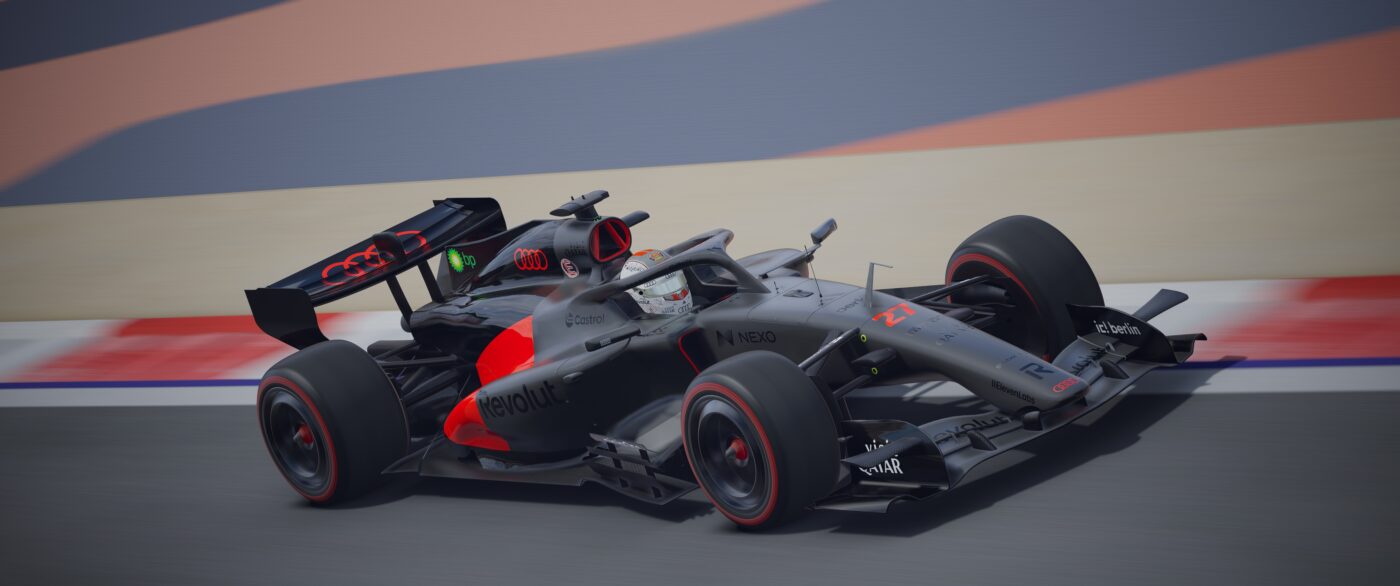

2026 Assetto Corsa Mods Screenshot Gp 2026 R26 Fn Bahrain 27 1 126 15 11 9 1400x586 . NEW UPCOMING GAMES 2026 Trailer Best New Game Trailers YouTube . 2026 Most Anticipated GAMES So Far YouTube . Solasta 2 Mod For More Character Faces Working 2026 Guide Game Blog Solasta 2 Mod For More Character Faces Working 2026 Guide 1.webp. The Most Anticipated Games Of 2026 That Gamers Can T Wait For 20250822 Most Anticipated Games Of 2026