When Roblox is down, it can feel like a sudden halt to your digital world, especially for the millions of US gamers who rely on the platform for daily entertainment, social interaction, and creative expression. For busy adults balancing careers and family, gaming moments are precious, and encountering a "Roblox down" status can be frustrating. This comprehensive guide is designed to help you navigate those moments, providing clear, actionable steps to determine the platform's status, troubleshoot common issues on your end, and understand why such outages occur. We'll delve into how Roblox's vast infrastructure supports a diverse community, from mini-game enthusiasts to aspiring developers, and what resources are available to keep you informed during downtime. Understanding the reasons behind service interruptions, from server maintenance to unexpected technical glitches, empowers you with the knowledge to react effectively. Learn the best ways to verify if Roblox is truly down for everyone or if the issue might be specific to your setup, ensuring you get back to your virtual adventures as quickly as possible. We cover everything from official status pages to community discussions, helping you stay connected and informed in the dynamic world of online gaming. Staying updated during a "Roblox down" event is key, and this guide provides all the navigational and informational tools needed for a smooth recovery.
What is the Roblox Status page and how do I use it?
The official Roblox Status page is a dedicated portal where Roblox provides real-time updates on its services. You can access it directly via status.roblox.com. When you suspect Roblox is down, this should be your first stop. It displays the operational status of core systems like the website, game client, and developer tools, indicating if they are fully operational, experiencing degraded performance, or are offline. It's often updated within minutes of an incident, making it the most reliable source of information straight from the source.
Why am I getting an "Unable to Connect" error on Roblox?
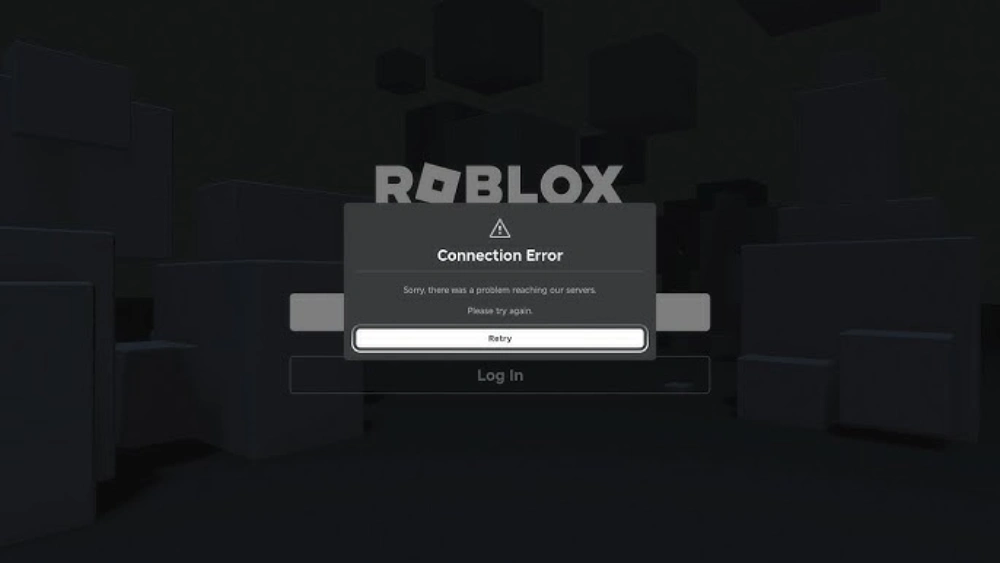
An "Unable to Connect" error usually means your client cannot establish a stable link with Roblox servers. This could be due to a server-side outage, your internet connection being unstable, a firewall blocking Roblox, or corrupted game files. First, check your internet. If that's fine, verify the official Roblox status. Then, consider restarting your router, temporarily disabling your firewall, or clearing your Roblox cache. Often, a simple network reset or a quick check of the official status page resolves the mystery.
How can I clear my Roblox cache to fix loading issues?
Clearing your Roblox cache can resolve many loading and connection problems by removing outdated or corrupted temporary files. On Windows, navigate to %LocalAppData%\Roblox and delete the "Temp" folder. On a Mac, look in ~/Library/Caches/com.roblox.RobloxPlayer and delete its contents. After deleting, restart your computer and then try launching Roblox again. This quick clean-up can often iron out performance glitches and ensure Roblox runs with the freshest data, potentially fixing minor client-side issues when you suspect Roblox is down.
Are there any third-party websites that track Roblox's status?
Yes, many third-party websites like DownDetector or IsItDownRightNow provide community-driven outage reports for Roblox. While not official, they can offer a quick overview based on user submissions. These sites display graphs of reported problems and user comments, which can help confirm if a problem is widespread. However, always cross-reference with the official Roblox Status page for the most accurate and authoritative information, as community reports can sometimes be localized or based on individual connection issues.
What are common reasons for Roblox server outages?
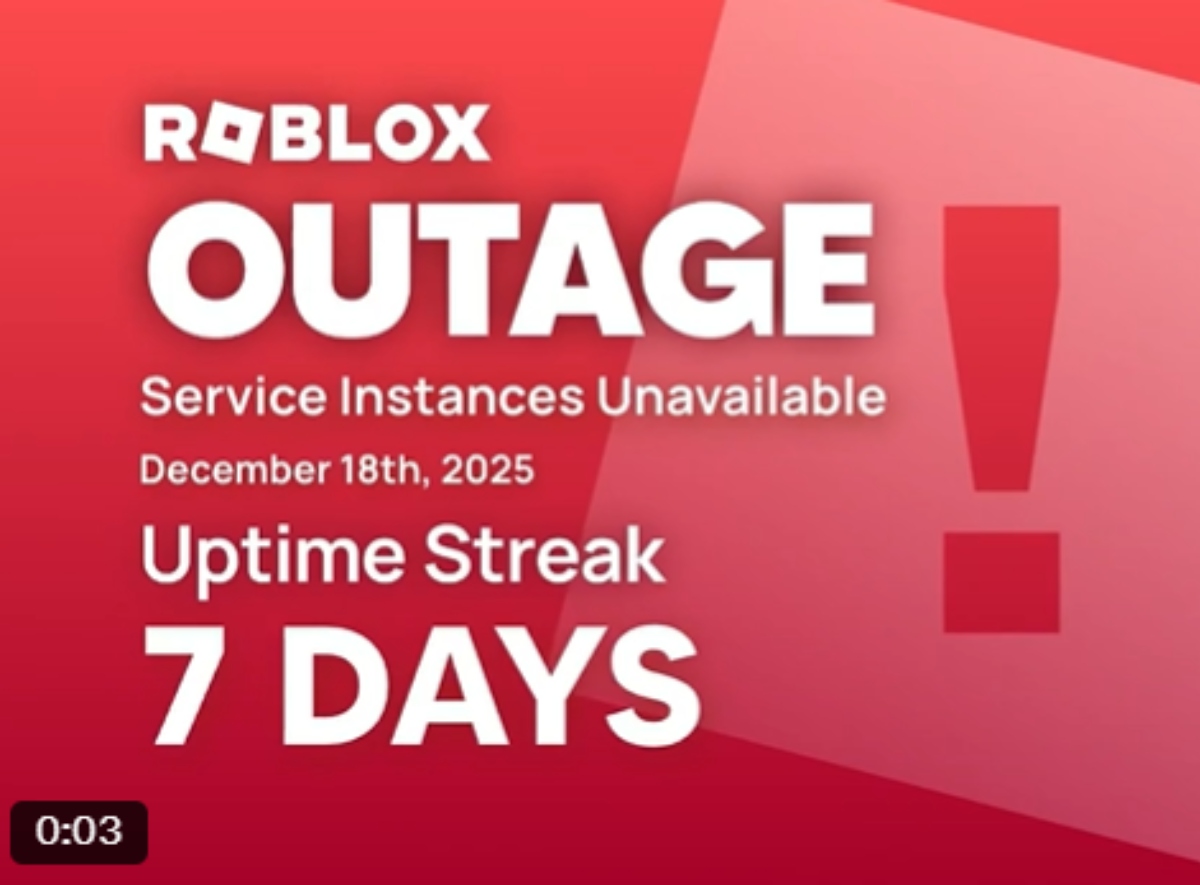
Roblox server outages typically stem from a few common causes. Major factors include scheduled maintenance to update infrastructure or deploy new features, unexpected hardware failures, software bugs in critical systems, and sometimes, overwhelming server load during peak times or major in-game events. Distributed Denial of Service (DDoS) attacks, though less frequent, can also lead to significant downtime. These incidents highlight the complexity of maintaining a massive online platform that serves millions of players globally, requiring constant vigilance and robust disaster recovery protocols.
Can VPNs cause problems connecting to Roblox?
Yes, VPNs can sometimes interfere with your ability to connect to Roblox. While useful for privacy and accessing region-restricted content, a VPN can route your connection through servers that are slow, overloaded, or even blacklisted by Roblox's security systems. If you're using a VPN and experience connection issues or suspect Roblox is down for you specifically, try temporarily disabling your VPN and connecting directly. If Roblox works without the VPN, the issue lies with your VPN service, and you might need to try a different server or provider.
How long do Roblox outages typically last?
The duration of Roblox outages varies widely depending on the cause. Minor glitches or scheduled maintenance might only last a few minutes to a couple of hours. Larger, more complex issues, like significant server failures or cyberattacks, could extend for several hours or even a full day. Roblox's engineering teams work around the clock to resolve critical issues quickly. During a major "Roblox down" event, the company typically provides regular updates on its official status page and social media channels to keep players informed on the expected resolution time.
Picture this: You finally carve out some precious time after a long day of work and family duties. The kids are asleep, dinner is done, and you’re ready to dive into your favorite Roblox experience, perhaps building something intricate or just chilling with friends in a social game. You launch the app, eager for that well-deserved escape, only to be met with a frustrating error message or an endless loading screen. Is Roblox down? It’s a moment that every gamer dreads, especially when your gaming time is a treasured commodity. For the vast majority of US gamers, roughly 87% playing regularly and averaging over 10 hours a week, these digital worlds are more than just games; they’re social hubs, creative outlets, and stress relievers.
When Roblox, a platform beloved by millions for its diverse universe of user-generated content, suddenly becomes inaccessible, it can throw a wrench into your carefully planned relaxation. You’re not alone in this; a "Roblox down" scenario impacts a massive community, from young players to seasoned adults who appreciate the platform's blend of creativity and social interaction. This comprehensive guide is designed to cut through the confusion and give you the actionable steps you need. We’ll help you quickly determine if the issue is widespread, troubleshoot common problems on your end, and navigate the downtime like a pro. Forget the frantic searches and endless refreshes; arm yourself with knowledge to get back to building, playing, and socializing in the Roblox metaverse as swiftly as possible.
Is Roblox Really Down Right Now How to Check Official Status
The first and most critical step when you suspect Roblox is down is to verify its official status. Jumping to conclusions can lead to unnecessary troubleshooting on your part. Roblox, like any major online service, provides dedicated channels to communicate its operational status. Always prioritize these official sources for the most accurate information.
The primary resource is the Official Roblox Status Page. This webpage offers real-time updates on all core Roblox services, including the website, game client, and developer tools. It uses clear indicators like "Operational," "Degraded Performance," or "Major Outage" to describe the status. Check this page first. If it indicates an outage or degraded performance, then the problem is not on your end, and you'll simply need to wait for Roblox's engineering teams to resolve the issue.
Beyond the official status page, following the @RobloxSupport account on X (formerly Twitter) is highly recommended. During significant "Roblox down" events, this account is often updated promptly with announcements, explanations, and estimated recovery times. For gamers who balance work and life, quick, reliable updates are invaluable, saving precious time from futile troubleshooting.
My Roblox Isn't Working But Others Can Play What Do I Do
Sometimes, Roblox might not be working for you, but friends or community members report no issues. This strongly suggests the problem is client-side or related to your local network setup. Don't worry; there are several practical steps you can take before assuming the worst.
1. Restart Your Router and Device: This is the golden rule of IT troubleshooting for a reason. A simple power cycle of your internet router and modem can resolve temporary network glitches. Similarly, restarting your PC, console, or mobile device can clear out any software conflicts or memory issues that might be preventing Roblox from connecting properly.
2. Check Your Internet Connection: Open other websites or apps to confirm your internet is working generally. If other services are also slow or inaccessible, the issue is with your internet service provider (ISP), not Roblox. Contact your ISP if needed.
3. Clear Roblox and Browser Cache: Corrupted or outdated cache files can lead to various loading and performance problems. For Roblox on PC, navigate to `%LocalAppData%\Roblox` and delete the `Temp` folder. For browser-related issues (e.g., website login problems), clear your browser's cache and cookies. This ensures Roblox isn't trying to load old, broken data.
4. Disable VPN or Proxy: If you use a Virtual Private Network (VPN) or proxy server, try disabling it temporarily. VPNs can sometimes route your connection through servers that are slow, blocked, or experiencing their own issues, inadvertently causing a "Roblox down" experience for you.
5. Check Firewall/Antivirus Settings: Ensure your firewall or antivirus software isn't mistakenly blocking Roblox. Temporarily disabling them (with caution) to test connectivity can help identify if they are the culprits. If Roblox connects after disabling, add an exception for Roblox to your security software.
Why Does Roblox Go Down So Often Understanding Outages
While a "Roblox down" event can feel frequent, understanding the immense scale and complexity of the platform helps contextualize these occurrences. Roblox hosts millions of active users daily, supporting countless experiences and constant content creation. Maintaining such a vast, dynamic ecosystem is a monumental engineering challenge.
Common reasons for outages include:
Scheduled Maintenance: Roblox regularly performs planned maintenance to update servers, deploy new features, or patch security vulnerabilities. These are often announced beforehand, though sometimes emergency maintenance is required.
Unexpected Hardware/Software Failures: Like any complex system, hardware can fail, or software bugs can emerge under specific conditions, leading to unexpected disruptions. Identifying and fixing these can take time.
Overwhelming Server Load: During major events, popular game releases, or global peak gaming hours (especially with mobile gaming dominating over 50% of the market), traffic can spike to unprecedented levels, sometimes overwhelming server capacity despite robust scaling efforts.
Network Issues: Problems with internet backbone providers or specific data centers can cascade, affecting connectivity for large segments of users.
Cyberattacks: While rare, Distributed Denial of Service (DDoS) attacks or other malicious activities can target Roblox's infrastructure, causing service disruptions as the platform defends itself.
Roblox invests heavily in robust infrastructure and incident response teams, but the sheer scale of operations means occasional hiccups are an unavoidable part of managing a global online service.
What Should I Do While Roblox is Down Productivity and Alternatives
When you encounter a "Roblox down" message, and you've confirmed it's a widespread outage, patience becomes key. Instead of repeatedly trying to connect, which can sometimes exacerbate server load, use the downtime productively or explore alternative entertainment. For gamers balancing jobs and families, time is precious, so make the most of it.
1. Catch Up on Other Tasks: Use this unexpected break to tackle a quick chore, respond to emails, or spend a few extra minutes with family. Sometimes, a forced break is exactly what’s needed to reset.
2. Explore Offline Gaming: Many fantastic single-player games can provide a quick gaming fix without requiring an internet connection. Dive into that story-rich indie game you've been meaning to play or revisit an old favorite.
Example: For PC gamers, consider titles like Stardew Valley or Hades. For mobile, popular offline games offer quick engagement without data.
3. Engage with the Community Off-Platform: Head to Discord servers, Reddit, or forums dedicated to Roblox. You can chat with fellow players, share memes about the outage, or discuss future game ideas. This keeps you connected to the community even when the game isn't running.
4. Plan Your Next Roblox Adventure: If you're a builder, use this time to sketch out new creations or refine your game designs. If you're a player, research new experiences or plan out strategies for when the servers are back online. Keep an eye on gaming news trends, like upcoming F2P titles or social gaming updates that might pique your interest.
How Can I Stay Updated on Roblox Server Status in Real-Time
Staying informed is crucial during a "Roblox down" event. Knowing where to look for updates can significantly reduce frustration and help you plan your gaming time more effectively. Here's how to keep a finger on the pulse:
1. Official Roblox Status Page: As mentioned, status.roblox.com is your ultimate source. Bookmark it and check it regularly. It provides a historical overview of incidents too, so you can see past outage patterns.
2. Roblox Support on X (formerly Twitter): Follow @RobloxSupport. This is usually the first place for official communications regarding outages, updates, and estimated resolution times. Turn on notifications for their tweets if you want instant alerts.
3. Third-Party Outage Trackers: Websites like DownDetector.com and IsItDownRightNow.com aggregate user reports and often show a surge in reported problems during an outage. While not official, they can quickly confirm if thousands of others are also experiencing issues, giving you a wider perspective. Always cross-reference with official channels for verification.
4. Community Forums and Discord Servers: Many large Roblox fan communities on Reddit (e.g., r/roblox) and Discord have active members who share news and updates. These are great places for discussions and shared commiseration during a "Roblox down" event.
5. Gaming News Sites: Reputable gaming news outlets often report on major service outages for popular platforms like Roblox. A quick search on Google News or your favorite gaming site might provide a summary of the situation.
Troubleshooting Common Client-Side Roblox Issues Beyond Outages
Even when Roblox servers are fully operational, you might still encounter problems. Many issues stem from your local setup. As busy gamers, optimizing your experience means knowing how to tackle these common client-side frustrations.
1. Internet Connectivity: Ensure your internet connection is stable. A wired Ethernet connection is always more reliable than Wi-Fi for gaming. If Wi-Fi is your only option, try moving closer to your router or reducing interference from other devices. Run a speed test to ensure you're getting adequate bandwidth.
2. Graphics Drivers: Outdated graphics drivers can cause crashes, visual glitches, or poor performance. Regularly update your GPU drivers from NVIDIA, AMD, or Intel's official websites. This can dramatically improve your Roblox experience, especially if you're playing graphically intensive games on the platform.
3. System Specifications: While Roblox is relatively light, ensuring your system meets the minimum requirements is essential. If you're on older hardware, closing background applications, using game booster software, or even considering budget-friendly hardware upgrades (like an SSD or more RAM) can make a significant difference. Many gamers average around 36 years old and are looking for value for money in their upgrades.
4. Reinstall Roblox: If all else fails, a clean reinstallation can solve deeply rooted client-side issues. Uninstall Roblox completely from your system, restart your computer, and then download and install the latest version from the official Roblox website. This ensures all files are fresh and correctly configured.
Who to Contact for Roblox Support During Downtime
When Roblox is down due to a widespread outage, directly contacting Roblox Support for a personal issue will likely be ineffective, as their teams are focused on restoring global service. However, if you've confirmed Roblox is working for others and your troubleshooting hasn't resolved your specific problem, then reaching out to support is the next logical step.
1. Roblox Support Website: The official Roblox Support page is where you can submit a support ticket. Be as detailed as possible in your description, including error messages, steps you've already taken (e.g., clearing cache, reinstalling), and your device specifications. This helps their team diagnose your issue more efficiently.
2. Patience is Key: During or immediately after a large-scale "Roblox down" event, support response times might be longer due to an influx of inquiries. Be patient and avoid submitting multiple tickets for the same issue, as this can further slow down the process.
3. Community Help: For non-critical issues, sometimes the Roblox community itself can offer quick solutions. Forums, subreddits, and Discord groups are full of experienced players who might have encountered and solved similar problems. Utilize these social channels for peer-to-peer support.
How Does Roblox Handle Major Outages and Player Compensation
Major "Roblox down" events are significant incidents that Roblox takes very seriously due to the impact on its vast player base and creator community. Their response typically involves a multi-pronged approach focused on restoration, communication, and occasionally, player consideration.
1. Rapid Incident Response: Roblox has dedicated engineering teams working 24/7 to monitor systems and respond immediately to outages. Their priority is to identify the root cause, mitigate the issue, and restore services as quickly as possible. This often involves rolling back updates, deploying hotfixes, or scaling up infrastructure.
2. Transparent Communication: During significant outages, Roblox aims for transparent communication. They update their official Status Page, X (Twitter) accounts, and sometimes even the Roblox website itself with progress reports, explanations, and expected timelines for resolution. This keeps the community informed and manages expectations, which is vital for maintaining trust with a diverse player base, from casual players to creators whose livelihoods might be affected.
3. No Guaranteed Compensation: While players might lose premium time or in-game advantages during an outage, Roblox generally does not offer automatic compensation for downtime. This is standard practice across many online services. However, in extremely rare, prolonged, or particularly impactful outages, Roblox *might* offer gestures of goodwill, such as special in-game items or a small amount of Robux, though this is not guaranteed and highly dependent on the specifics of the incident.
FAQ Section: Quick Answers for Roblox Downtime
Here are some rapid-fire answers to common questions about Roblox outages.
What is a Roblox outage?
A Roblox outage refers to a period when the platform's services, such as logging in, playing games, or accessing the website, become unavailable or severely degraded for a significant number of users, usually due to server-side issues.
Can I still play Roblox experiences offline if the servers are down?
No, Roblox is an entirely online platform. If the servers are down, you cannot play any Roblox experiences, as all games and user data are hosted on Roblox's cloud infrastructure and require a constant connection.
Will I lose my progress if Roblox goes down during gameplay?
Typically, progress in Roblox experiences is saved server-side. If Roblox goes down unexpectedly, most of your progress up to the last successful save point should be retained. However, unsaved changes or actions taken just before an outage might be lost.
Is Roblox down only in my region, or is it global?
You can verify if Roblox is down globally or regionally by checking the official Roblox Status page and third-party outage trackers like DownDetector, which often provide geographical heatmaps of reported problems. Most major outages are global, but localized network issues can affect specific regions.
How long does it take for Roblox to fix an outage?
The time it takes to fix a Roblox outage varies greatly, from a few minutes for minor glitches to several hours or even a full day for complex server issues or major system failures. Roblox's engineering teams work continuously to restore service as quickly as possible.
The frustration of a "Roblox down" scenario is something every gamer can relate to, especially when precious gaming moments are at stake. But armed with the right knowledge and tools, you can navigate these unexpected interruptions with confidence. By checking official status pages, troubleshooting your local setup, and staying connected with the community, you'll always be prepared. Remember, these platforms are massive, complex ecosystems, and occasional downtime is a part of the digital landscape. What's your biggest gaming challenge when a favorite platform like Roblox goes down? Comment below and share your tips with fellow gamers!
Official Roblox status checks, community outage reports, effective personal troubleshooting, understanding common outage causes, maintaining connectivity during downtime, client-side issue resolution, real-time update sources, dealing with game unavailability.
35


Is Roblox Getting Shut Down In 2026 The Real Truth Behind All Those Is Roblox Getting Shut Down In 2026 1024x683 . Roblox Is Down Worldwide Leaving Thousands Unable To Play Roblox Is Down . Is Roblox Down January 13 2026 Roblox Down DesignTAXI Roblox Down . Roblox Is Shutting Down Games Without Age Ratings March 2026 What Roblox Is Shutting Down . Is Roblox Shutting Down What Players Need To Know Gamer Org Is Roblox Shutting Down What Players Need To Know 768x403


Roblox Says It Identified Underlying Internal Cause Of Outage Gaming . Is Roblox Down Check Server Status In March 2026 Live Updates Is Roblox Down . Is Roblox Down Check Server Status In March 2026 Live Updates Is Roblox Down 1024x717 . Is Roblox Shutting Down In 2026 Latest Updates Is Roblox Shutting Down . Is Roblox Down How To Check Server Status Fix Connection Errors Roblox Error Server.webp
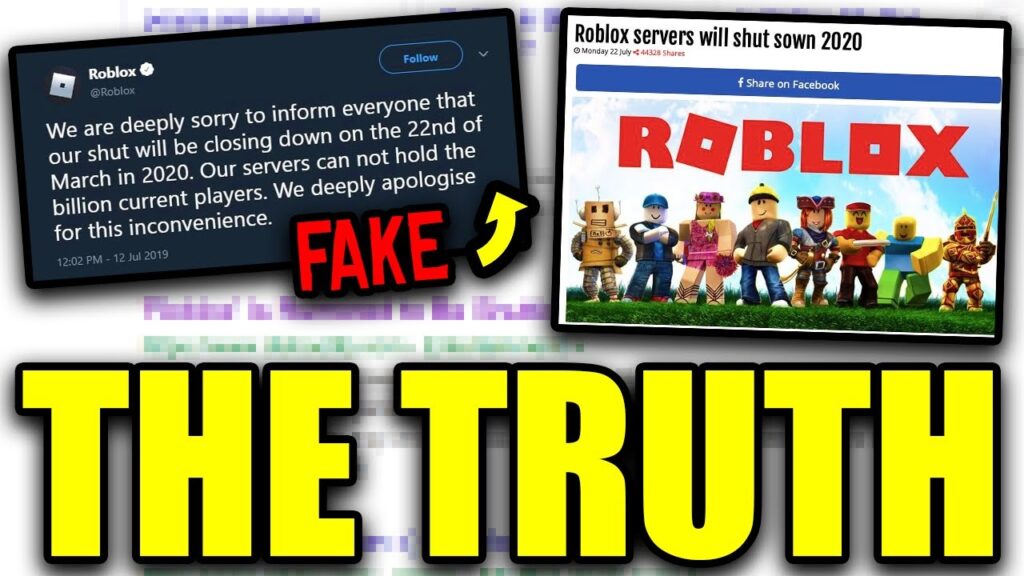



Is Roblox Shutting Down Official Truth Latest Updates Is Roblox Shutting Down 1024x576 . Is Roblox Shutting Down In 2026 Latest Updates Roblox Response To Shutdown Claims . Is Roblox Down April 14 2026 Roblox Down DesignTAXI Community. Why Roblox Almost Shut Down YouTube . Roblox Is Down Right Now January 5 2026 Beebom Roblox Shutting Down In 2024 Cover


.jpg.b85572ef22b67cb92ebb2766a9a0f4b6.jpg)
Roblox Shutting Down Today Lets Get The Facts Straight. Why Is Roblox Down Right Now What S Happening Roblox Shutting Down.webp. Why Is Roblox Down Right Now What S Happening Roblox Is Down 1.webp. Roblox Down Thousands Of Players Report Outage Gaming Platform Reacts Roblox Down . Is Roblox Down January 20 2026 Roblox Down DesignTAXI Roblox


Roblox Down Whats Happening And How To Check Is Roblox Shutting Down In 2025 . Roblox Is Down Right Now January 5 2026 Beebom Roblox Is Down Server Status . Is Roblox Down March 24 2026 Roblox Down DesignTAXI Community Image . How To Update Roblox In 2026 Fix Error Code 280 On PC Mobile Xbox Roblox Update It.webp. Is Roblox Down March 12 2026 Roblox Down DesignTAXI Community Image



Is Roblox Down March 21 2026 Roblox Down DesignTAXI Community Image. Roblox Down Lets Check Whats Happening Roblox Shutting Down 2025 768x512 . How To Publish A Game On Roblox In 2026 Roblox YouTube . Roblox In 2026 Play On Roblox NoFilter. How To Message On Roblox 2026 A Quick Guide SL1500



What Exactly Is A Roblox Noob Anyway 2026 Parental Guide For Roblox Usage UnicMinds . Is Roblox Server Down How To Check Status And Fix Issues Servers Down V0. Roblox Is Down Right Now January 5 2026 Beebom Roblox Is Down Server Status . Is Roblox Shutting Down In 2026 Latest Updates Roblox Shutting Down 300x219 . Roblox And Fortnite Are Down And So Are Many Of The World S Most Roblox Down